

Please try the following steps that can help you improve that.
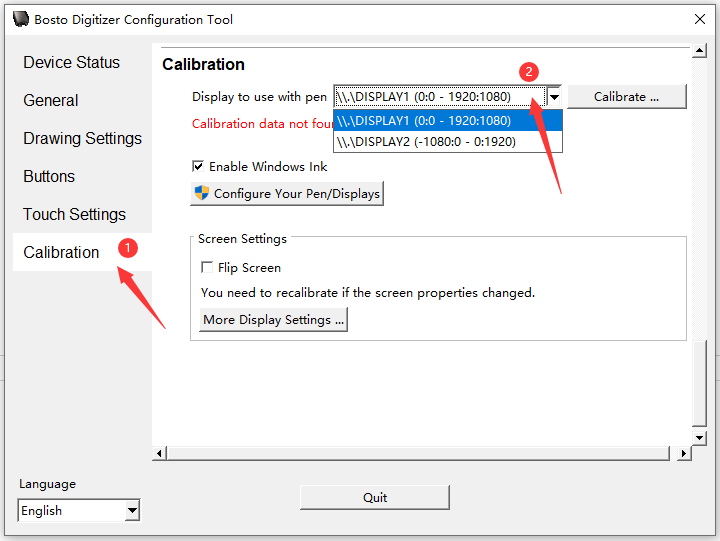
1、Open Bosto driver and click on ‘Calibration’
2、Click on the display screen you are using to calibrate.
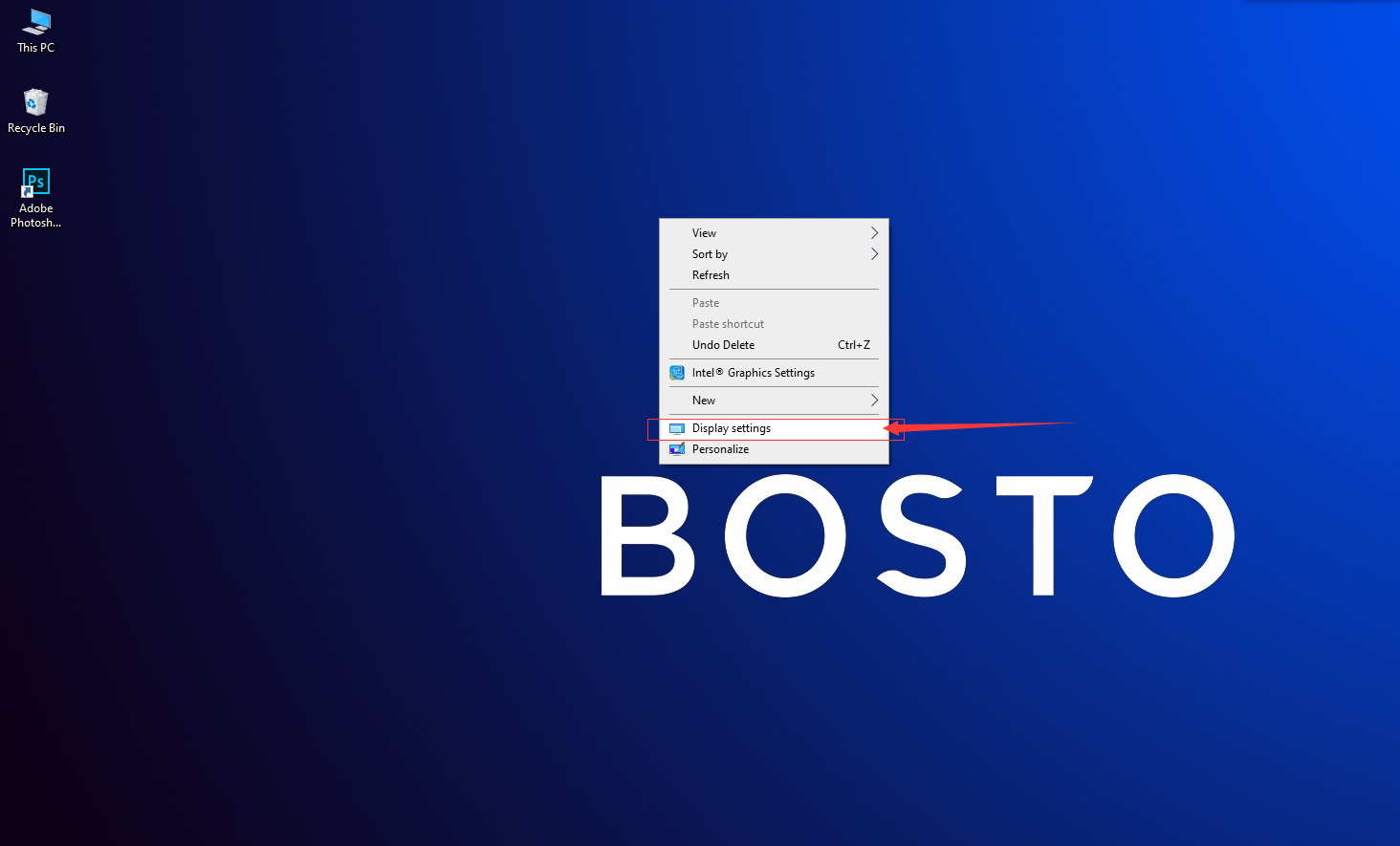
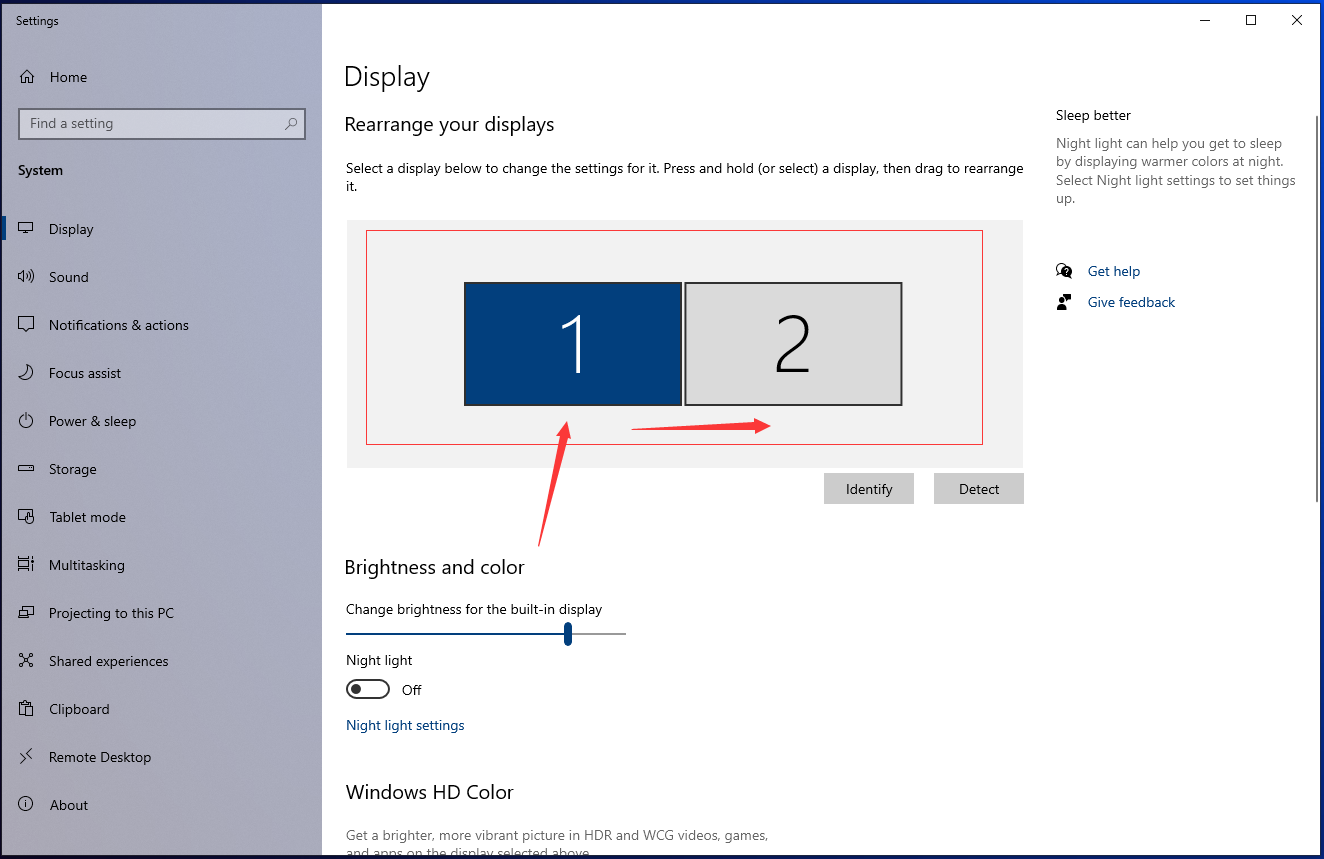
3.If the above steps cannot help, please right click on the desktop to choose ‘graphic setting’ and move the display screen to the left side of the computer screen.
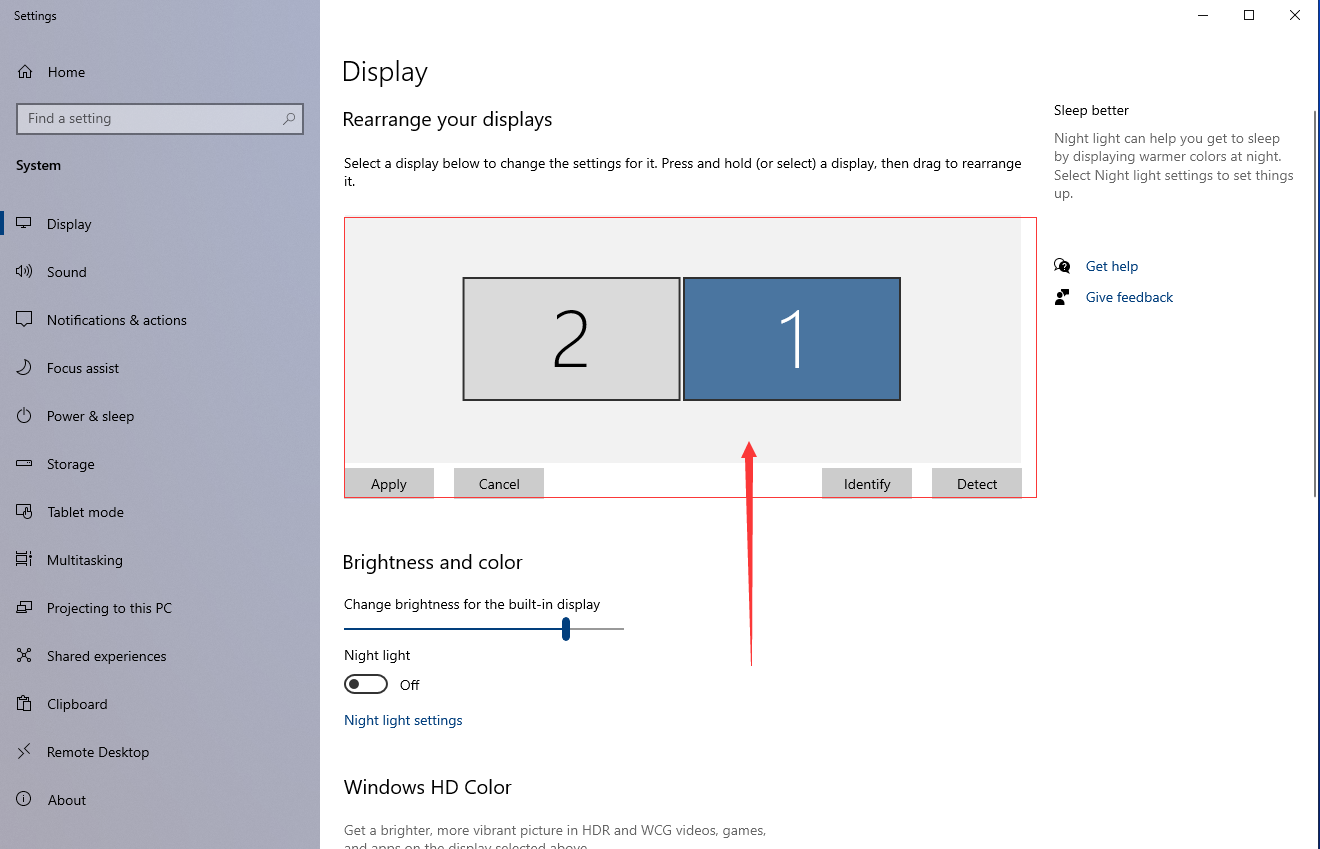
4、Open the driver again and click ‘Configure You Pen /Display’
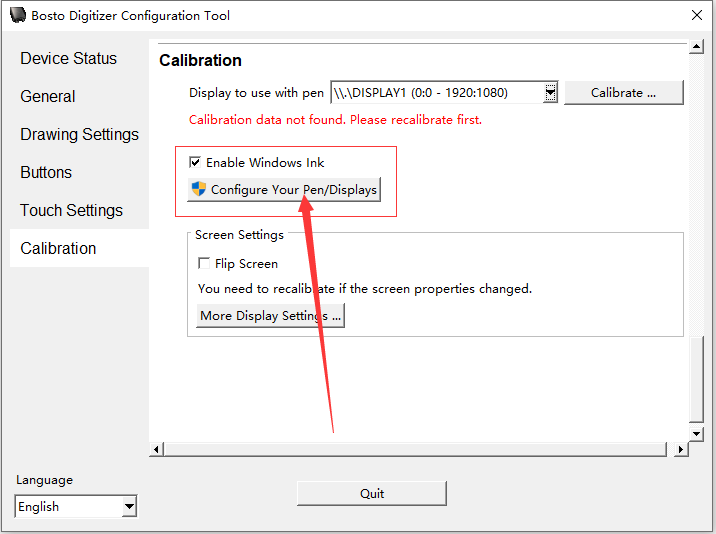
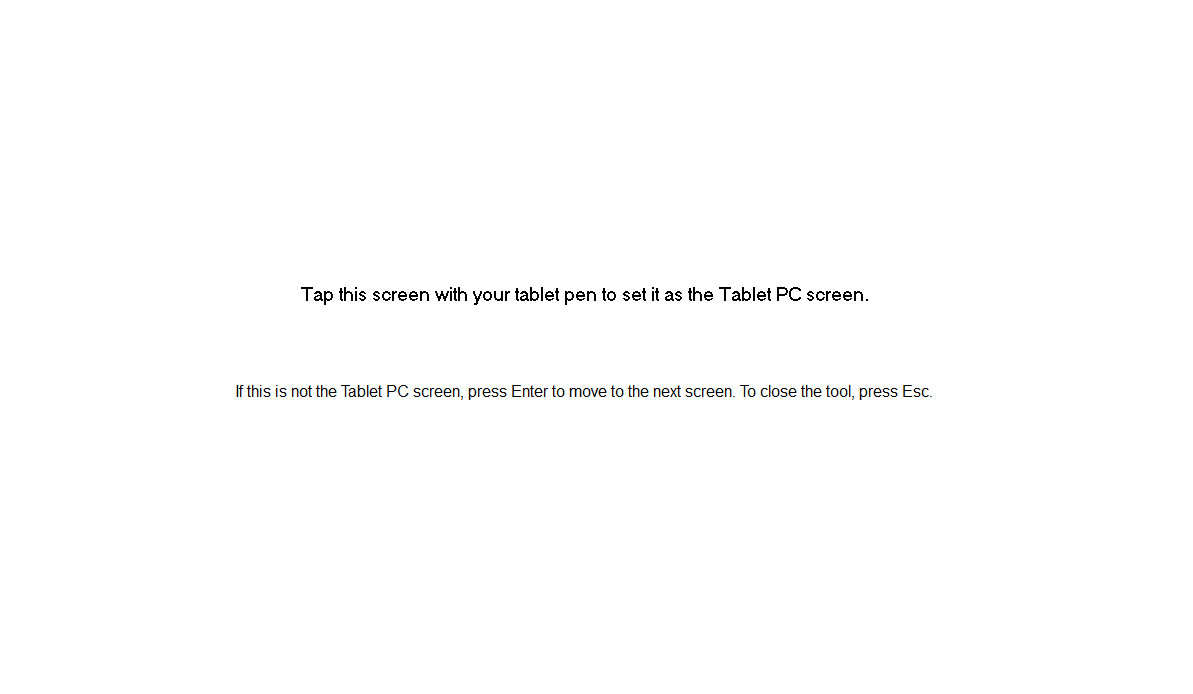
5.Press ‘enter’ key to switch screens. When the following box appear, the pen cursor will be synchronized successfully.