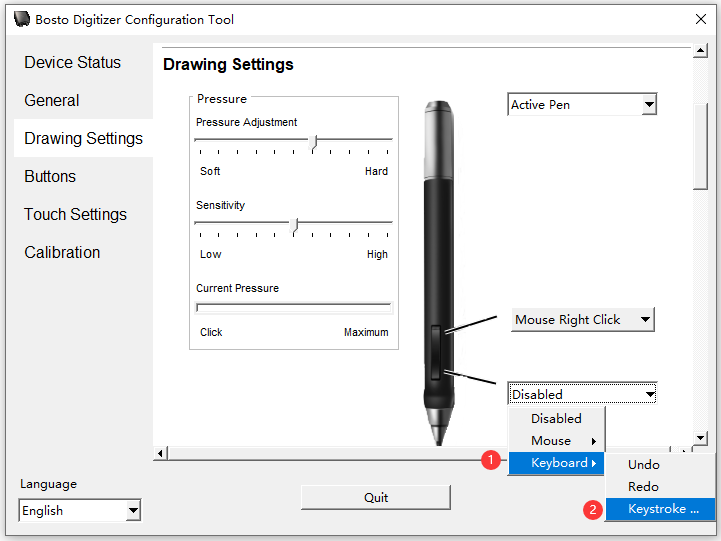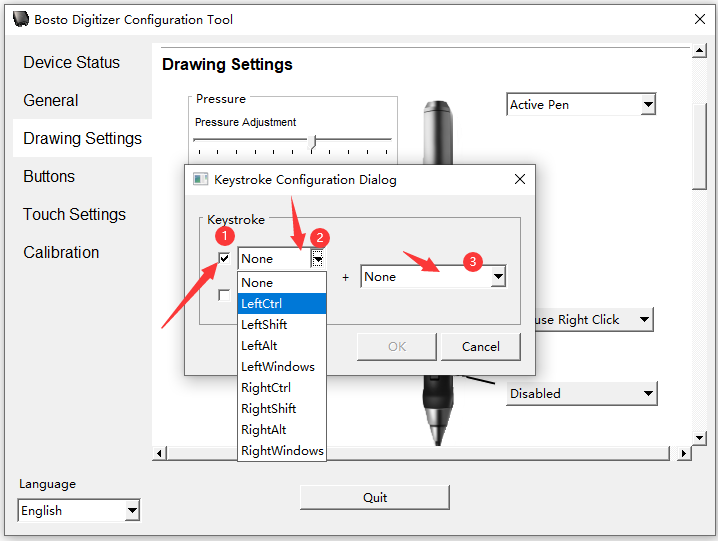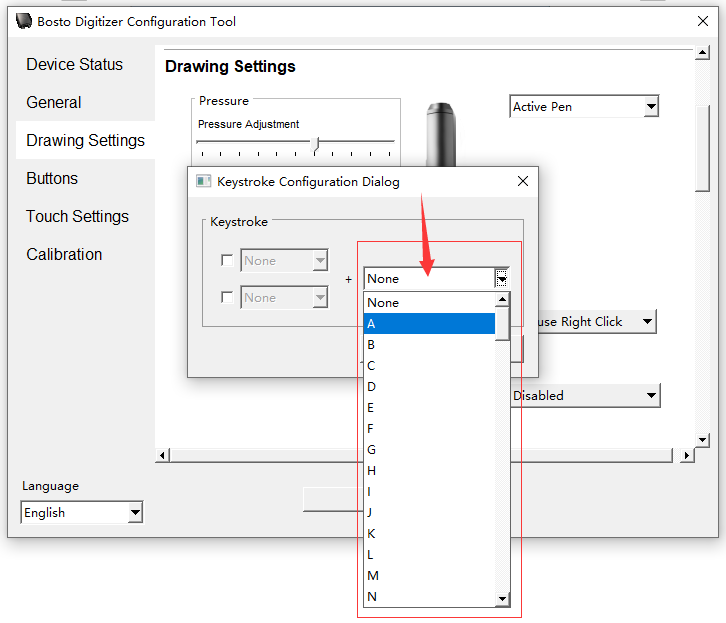


Please try the following steps that can help you customize the press keys of the pen.
1.Open the Bosto driver and click on ‘Drawing Settings’
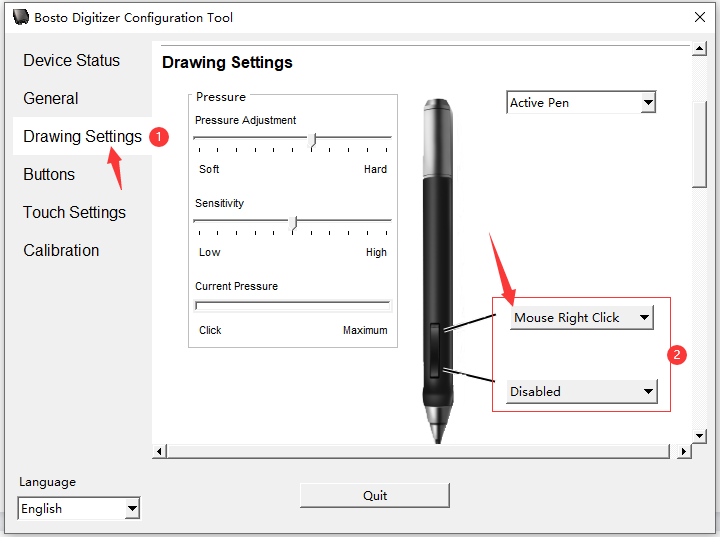
2.Click on ‘Mouse Right Click’ or ‘Mouse Left Click’ for setting as mouse function.
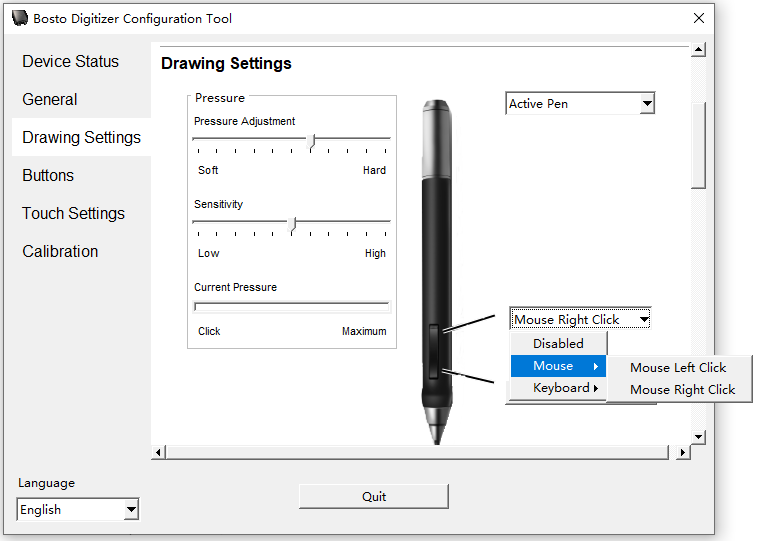
3.Click on ‘Keyboard’ for setting as letter shortcuts function.