
FAQ

What to do if your screen continues to appear a box of brush set when you draw on Adobe Photoshop

Please try the following steps.

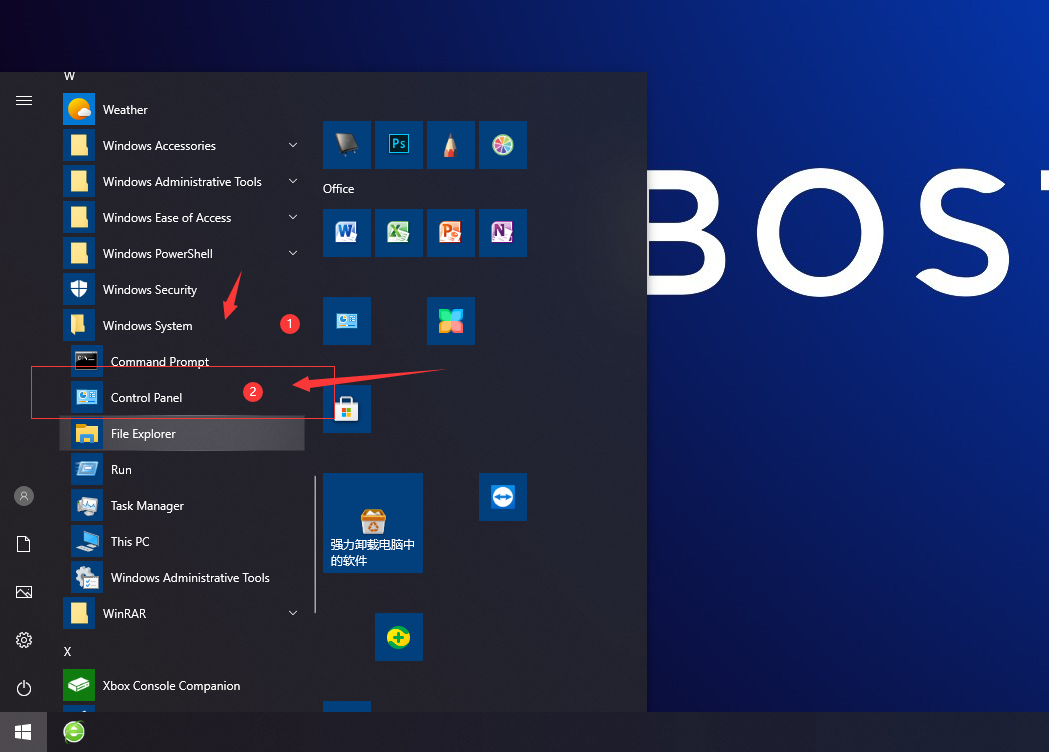
1.Pleass click on windows icon, the start menu,on the left bottom

2.Click on control panel.
What to do if your screen continues to appear a box of brush set when you draw on Adobe Photoshop

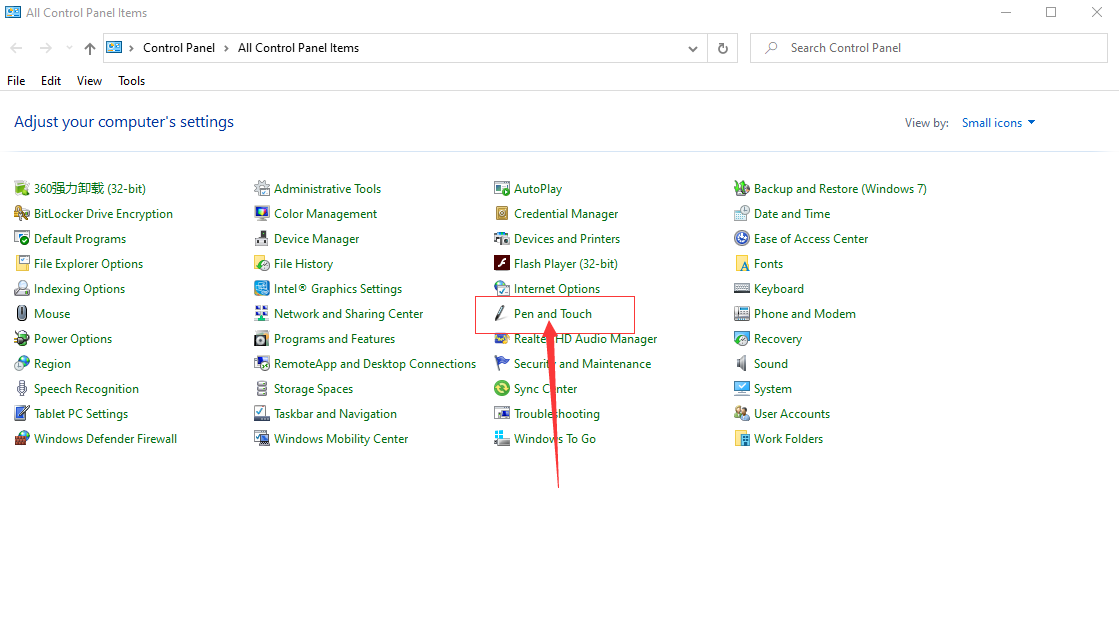
3.Select small icon(big icon) and click on ‘pen and touch’.
What to do if your screen continues to appear a box of brush set when you draw on Adobe Photoshop

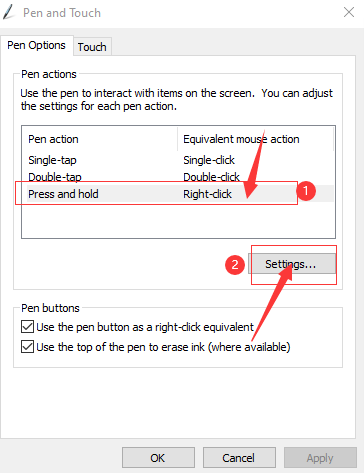
4.Click on ‘press and keep’ and ‘setting’.
What to do if your screen continues to appear a box of brush set when you draw on Adobe Photoshop

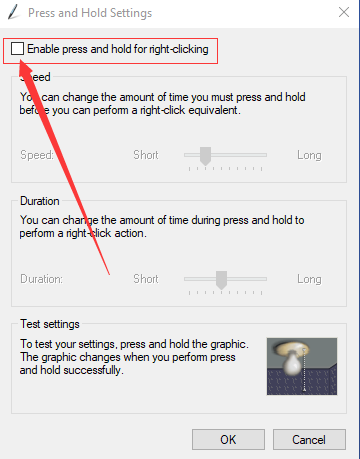
5.Then cancel ticking ‘Enable press and hold time for right-click’.
What to do if your screen continues to appear a box of brush set when you draw on Adobe Photoshop